
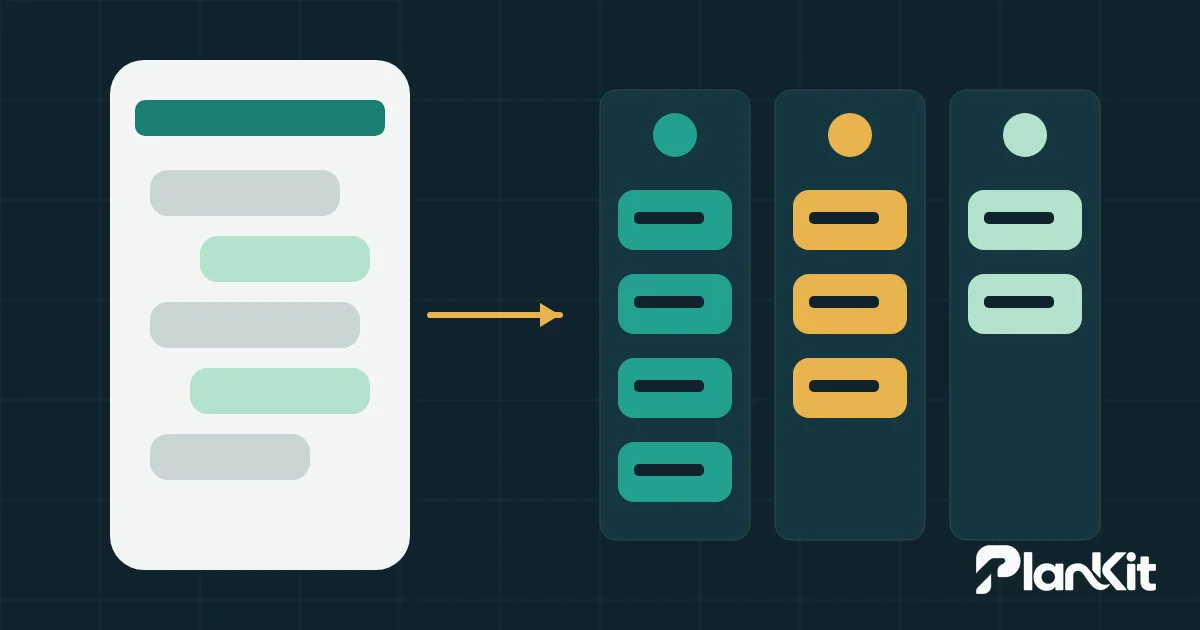
Automate the WhatsApp messages that have one correct answer you already hold in your data: order confirmations, appointment reminders, shipping updates and repeated questions. Start a conversation automatically and then hand it to a person when the reply needs judgment, such as a price for a custom job. Leave anything with anger, negotiation or money leaving the company to your team from the first message.
What you can automate depends first on the tool. The WhatsApp Business app on a phone gives you a few canned replies, while the WhatsApp Business Platform connects messages to your systems and has its own rules and a cost per message. Below you get the difference between the two, a table that sorts common messages with the reason for each, handover rules, reply times, and what WhatsApp's policy requires for opt-in and opt-out.
The WhatsApp Business app and the WhatsApp Business Platform are different tools
The app is something an employee runs from a phone, and the platform is how your software talks to WhatsApp. WhatsApp says the app was built with the small business owner in mind, and lists among its tools greeting messages, away messages, quick replies, labels and a catalog. The platform works through an API (application programming interface), so your system sends and receives messages without anyone typing them.
| Item | WhatsApp Business app | WhatsApp Business Platform (API) |
|---|---|---|
| Automatic replies | A greeting for first contact and an away message outside hours | Any reply your system is programmed to send, or a chatbot |
| Repeated answers | Quick replies the employee picks | Replies the system sends based on the case |
| Organising chats | Labels the employee adds by hand | Routing to a person or team, linked to the customer record |
| Messages you start | Typed by the employee | Meta-approved templates, sent by your order or booking system |
| Cost | The platform's per-message pricing does not apply | Charged per message by category and recipient country |
| Fits | A small team with a volume one person can follow | Messages generated by a system, or a team sharing many chats |
The working rule: if most of your messages are incoming questions a person answers, the app with good quick replies is usually enough. If you want order confirmations or appointment reminders to leave your system on their own, you need the platform.
Three platform rules decide what you can automate
We checked these on Meta's developer pages on 18 November 2026. They change, so check again before you build.
- The customer service window. When a customer messages or calls you, a 24-hour window opens and restarts with each new message from them. Inside it you can send free-form replies. Outside it you can only send approved templates.
- Templates and their categories. Every template is marketing, utility or authentication, and is reviewed before use. Utility is for non-promotional messages tied to something the customer did, such as an order confirmation. Put a promotion inside a utility template and Meta moves it to marketing; repeated misuse can bring limits on your account.
- The pricing model. Since July 2025 Meta charges for each delivered message, with the rate set by category and the recipient's country code. Egypt and Saudi Arabia each have their own line on the rate card. Since 1 October 2026, free-form service messages are free only up to 1,000 a month per phone number, and utility templates sent inside the window are charged too.
The effect on your decisions is direct. An automated message you start is a template that costs money and needs approval, so automate only the ones worth it. A reply after the window closes needs a template, so slow replies cost you as well.
A table for sorting messages in WhatsApp Business automation
Sort each message with two questions: does it have one correct answer in your data, and what does a mistake cost? This is a practical sort of the most common messages; adjust it to your business.
| Message | Sort | Reason |
|---|---|---|
| Order confirmation after payment | Fully automated | All the data sits in the order system and the message repeats |
| Shipping status update | Fully automated | It follows the order status, and any question after it opens a chat |
| Appointment reminder | Fully automated, with confirm and cancel buttons | The booking is recorded, and the reminder saves calling time |
| Repeated question on hours, address or required documents | Fully automated | The answer is the same for every customer |
| Message arriving outside working hours | Fully automated | An away message that states the real reply time |
| Price of a product with a listed price | Automated, then handed over | The bot sends the price or catalog, and a person takes over buyers |
| Price of a custom service | Automated, then handed over | The bot collects the basics and a person sets the price |
| Refund or exchange request | Automated, then handed over | The system collects the order number and reason; money leaving needs a person's decision |
| Complaint | People only, with an automatic receipt and reply time | An angry customer wants to be heard, and a wrong bot reply makes it worse |
| Price negotiation or discount request | People only | Every answer touches your margin and needs authority |
| A large account or a customer under contract | People only | The relationship matters more than reply speed |
The middle group saves the most time for the least risk. The bot saves the employee the first two minutes of each chat, collecting the name, order number and request type, then passes the whole conversation over. If price questions turn into leads for you, the follow-up sequence after them is in how to build a follow-up system that loses no lead.
If WhatsApp is one of several tasks you are thinking of automating, rank them first with the lost-hours table in where to start with business process automation.
Handover rules from the bot to a person
WhatsApp's policy requires a way out. It allows automation during the 24-hour window, provided there are prompt, clear and direct escalation paths, such as a transfer to a human agent in the chat, a phone number, an email address or a support form. Set these triggers in your tool:
- The customer types a word such as "agent", "complaint" or "refund", and the chat moves to a person at once.
- The bot fails to understand the customer twice in a row, stops and hands over.
- The customer repeats the same question, a sign the automatic answer did not help.
- The customer mentions an amount, a discount or a payment problem.
- The customer carries a special tag in your system, such as an active contract.
A good handover carries the context. The employee sees what the customer wrote and what the bot collected, so nobody asks for the name and order number again. The bot also tells the customer that a person will continue, and roughly when.
The app has no automatic handover in this sense, because an employee reads every chat anyway. Use labels instead, such as "needs a manager" and "refund", and review them twice a day. When labels no longer tell you who is following each customer, take the test in when your company needs a CRM.
Reply times to promise and keep
WhatsApp's policy sets no reply time, so the number is yours to choose. What matters is stating it and keeping it. The table below is a practical suggestion to adjust to your team size, not a published standard:
| Message type | First reply | Person's reply |
|---|---|---|
| Fully automated | Instant | Not needed |
| Automated then handed over, in working hours | Instant | Within an hour |
| Complaint | Instant receipt | Same day |
| Anything outside working hours | Away message with the reply time | First two hours of the next working day |
Tie these times to the 24-hour window. A message that arrives on Thursday evening, before a Friday off, will see the window close before anyone answers, and then only a template can reach the customer. Have someone clear waiting chats on days off, or say in the away message when the customer should write again. If your weekend is two days in a row, cover at least one of them.
Opt-in and opt-out under WhatsApp's policy
Message nobody on WhatsApp before they have given you their number and agreed to hear from you. WhatsApp's Business Messaging Policy, last updated on 23 September 2026, requires opt-in permission and makes you solely responsible for how you collect it. Meta's developer guidance adds that the opt-in must name your business clearly and say that the person is agreeing to receive messages from it.
- Ask for opt-in per message category. Someone who agreed to order updates has not agreed to offers.
- Put a clear way to stop in every marketing message, such as replying "stop".
- Honour every stop request, including those made by phone or outside WhatsApp, as the policy requires.
- Never ask in a chat for a full payment card number, bank account number or national ID number. The policy forbids it.
Honouring opt-outs protects you too. Users can block or report your number, and Meta rate limits businesses whose quality stays low for a long time. Messages nobody asked for are the fastest way there.
Phone numbers and chats are personal data, so review Egypt's Personal Data Protection Law or Saudi Arabia's Personal Data Protection Law with your adviser before you collect and store them. This section is not legal advice.
Your next step
Open the last 100 chats on your company number and sort each into fully automated, automated then handed over, or people only. Start with the most frequent type in the first group and write a quick reply for it in the app this week. If most messages need data from your order or booking system, that tells you it is time for the platform and an integration. You can review the sort and the integration plan with PlanKit's business automation service.